
How to draw a network map
Read-only — nothing is changed.

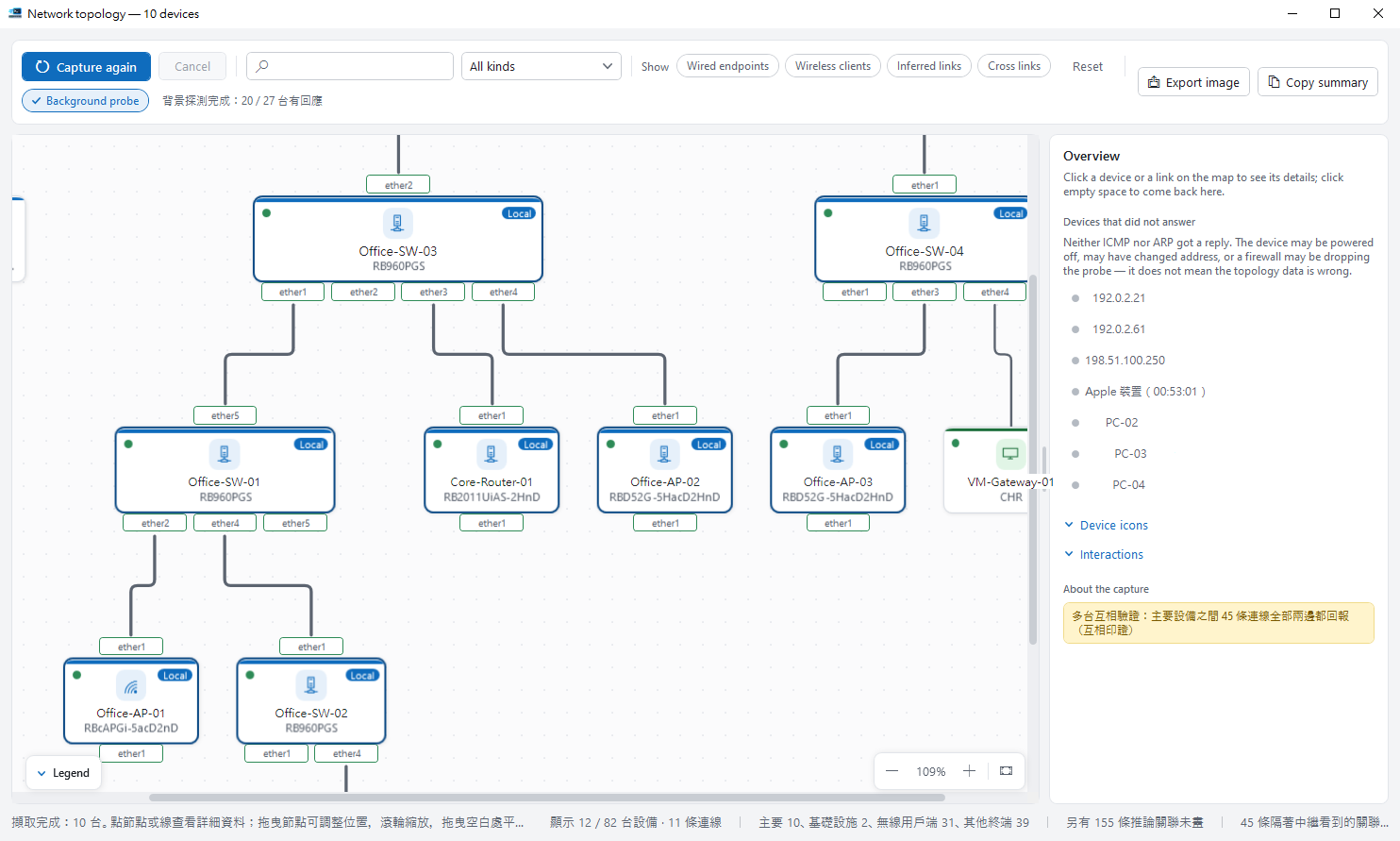
Open it#
Select devices and click Network topology (Ctrl+T). The more you select, the fuller the map.
Reading the map#
Solid lines are wired links; dashed lines are wireless or inferred. Click a node or line for details and the evidence behind it.
Switch views#
Switch the same map to path tracing, VLANs or live traffic. Collapse end devices to see just the backbone.
Export#
Export the link inventory as CSV for hand-overs or audits.
Tips#
- Right-click a RouterOS node to take it to an upgrade, health check or port monitor (port monitor needs the WinBox protocol), or open it in WinBox, a console or WebFig. Your checks on the home screen do not change.
- Click a port label under a node to keep only the links from that port. Click it again, click empty space or press Esc to undo.