
Keyboard shortcuts
Press F1 whenever you need them.
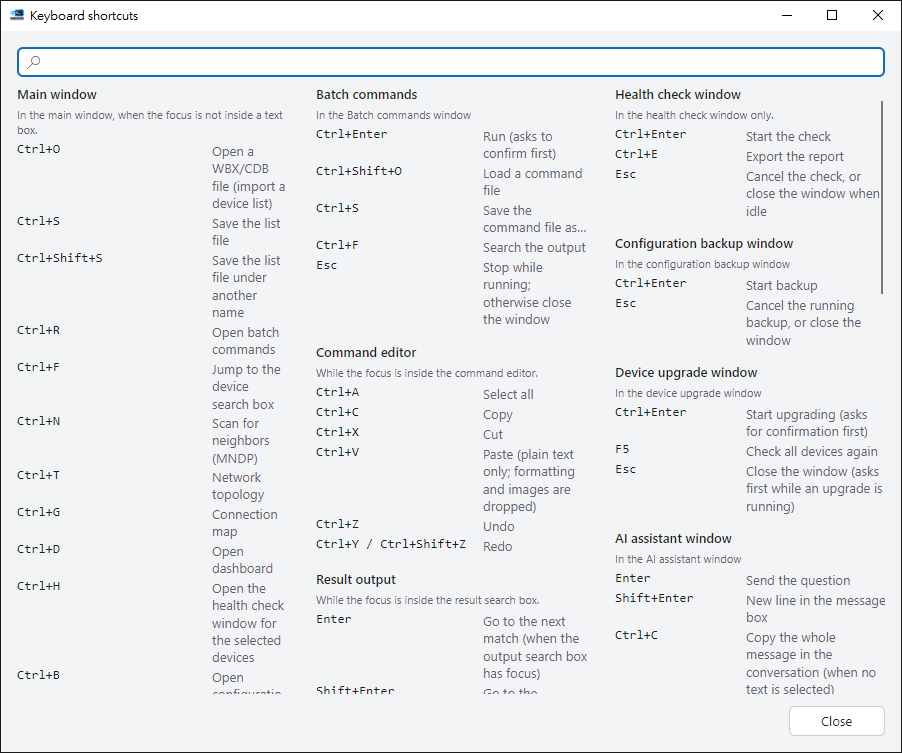
Open the shortcut list#
Press F1 on the home screen or in the batch window, or choose Keyboard shortcuts… from the Help menu at the top right. The list is grouped by window, and you can search it from the box at the top.
Home screen#
| Keys | What it does |
|---|---|
| Ctrl+F | Jump to device search |
| Ctrl+O | Import a WinBox address list |
| Ctrl+N | Search for neighbors |
| Ctrl+S | Save the device list file |
| Ctrl+R | Batch commands |
| Ctrl+T | Network topology |
| Ctrl+G | Connection map |
| Ctrl+D | Dashboard |
| Ctrl+H | Health check |
| Ctrl+B | Backup |
| Ctrl+U | Upgrade devices |
| Ctrl+I | AI assistant |
| Ctrl++ / Ctrl+- | Make text larger or smaller |
| Ctrl+0 | Reset text size |
Feature windows#
| Keys | What it does |
|---|---|
| Ctrl+Enter | Start (batch, health check, backup, upgrade; each asks first) |
| Esc | Stop while running; close the window otherwise |
| F5 | Recapture the topology, recheck upgrades |
| F11 | Dashboard presentation mode |