
How to use the dashboard
Many devices, one board.
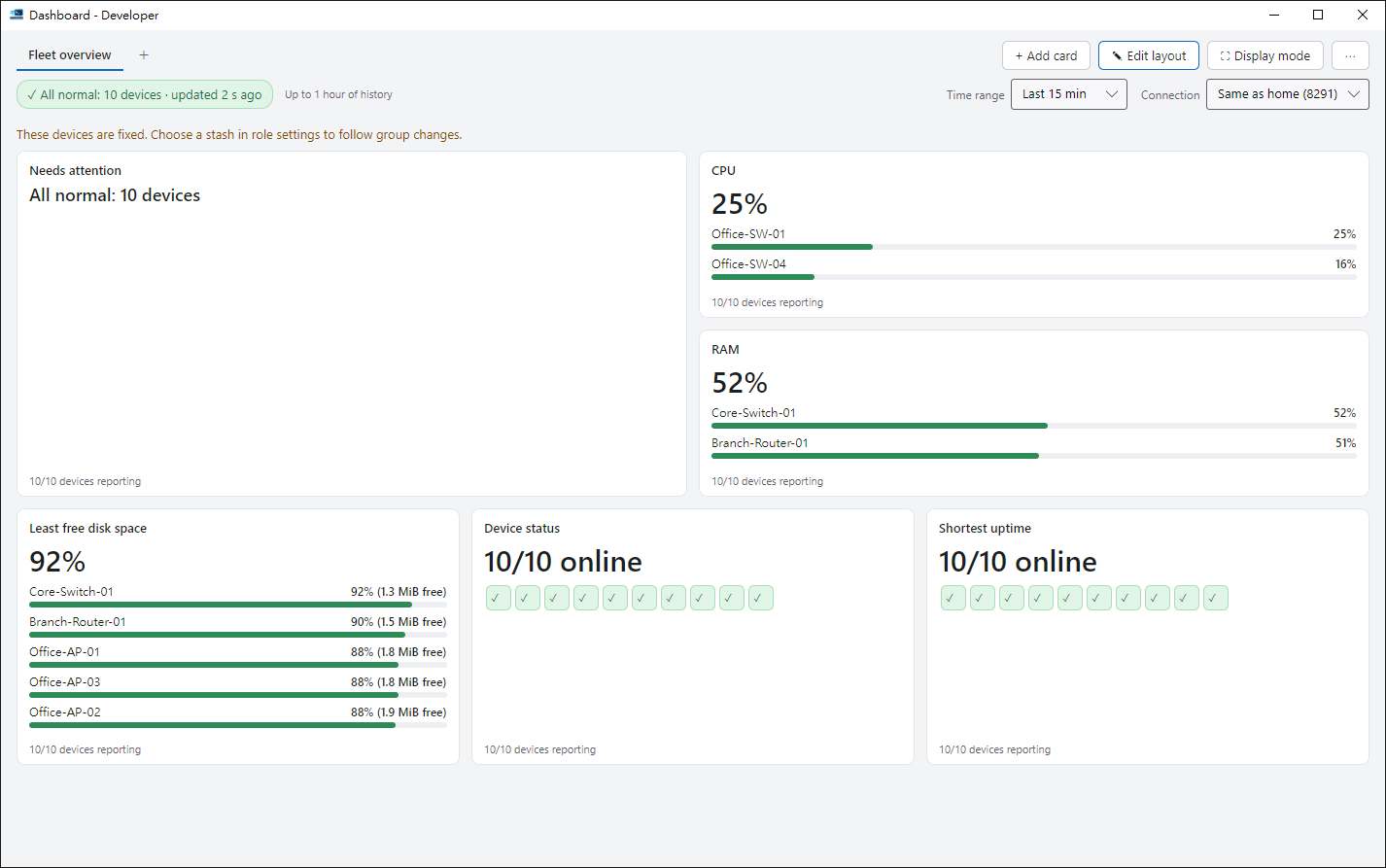
1. Open it#
Click Dashboard (Ctrl+D). Start from a template or a blank board.
2. Add cards#
In edit mode, add cards for CPU, memory, traffic, temperature and more, then drag to arrange and resize.
3. Thresholds#
Cards change colour when a threshold is crossed. It has to last a while, so a single spike won’t raise an alarm.
4. Full screen and sharing#
Rotate several boards in full screen. Export a board to share with colleagues — it contains no passwords.
Tips#
- In edit mode, Ctrl+Z undoes and Ctrl+Y redoes. Select a card and move it with the arrow keys.
- Double-click a board tab to rename it, drag tabs to reorder them, and right-click for more.
- Press F11 to switch presentation mode on or off. Rest the mouse at the top for two seconds to show the toolbar.