
Features
Upgrade RouterOS and RouterBOOT in planned batches
Check readiness before choosing a reboot order. Follow each device from precheck and backup through reconnection and version verification.
Check versions and readiness before upgrading
The precheck reads each device’s versions, channel and upgrade requirements. Review eligible, current and blocked devices before starting.
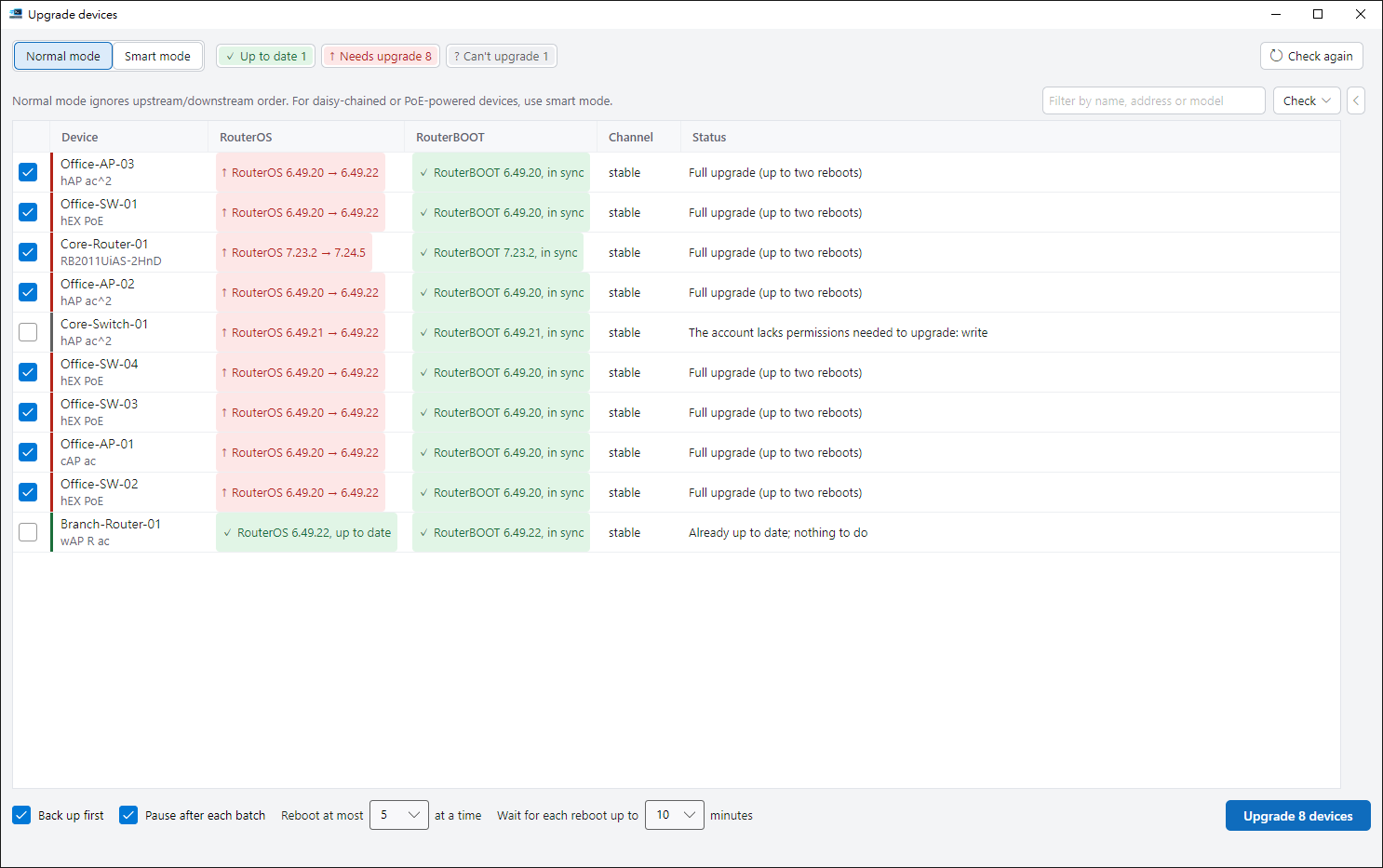
Check before starting. Verify after reconnecting.
-
Start with a precheck
Select devices on the home screen, choose 8291 and open Upgrade devices with Ctrl+U. Read versions, RouterBOOT, permissions, space and pending changes. Devices also contact MikroTik update servers to check for a newer version.
-
Keep each device’s update channel
Freeze the target from the device’s existing channel. No downgrades or RouterOS major-version changes. Pending changes or unverifiable identity and readiness are reported before proceeding.
-
Confirm, then upgrade in batches
Backup before upgrade and a pause after each batch are enabled by default. Confirm targets, device counts, backups and reboot plans. The default limit is five simultaneous reboots.
-
Verify after reconnecting
A full upgrade can reboot twice. Confirm the same device has returned, then read RouterOS and RouterBOOT state. Recheck and finish-up actions are available for devices that do not return or have uncertain outcomes.
Standard mode or topology-based smart batches
Standard mode puts selected devices in one batch and limits simultaneous reboots. Use it when devices have no upstream dependencies.
- Smart mode reads topology and plans downstream devices before upstream ones. Review the inferred links first. Devices with unknown order, loops or insufficient evidence are excluded with a reason.
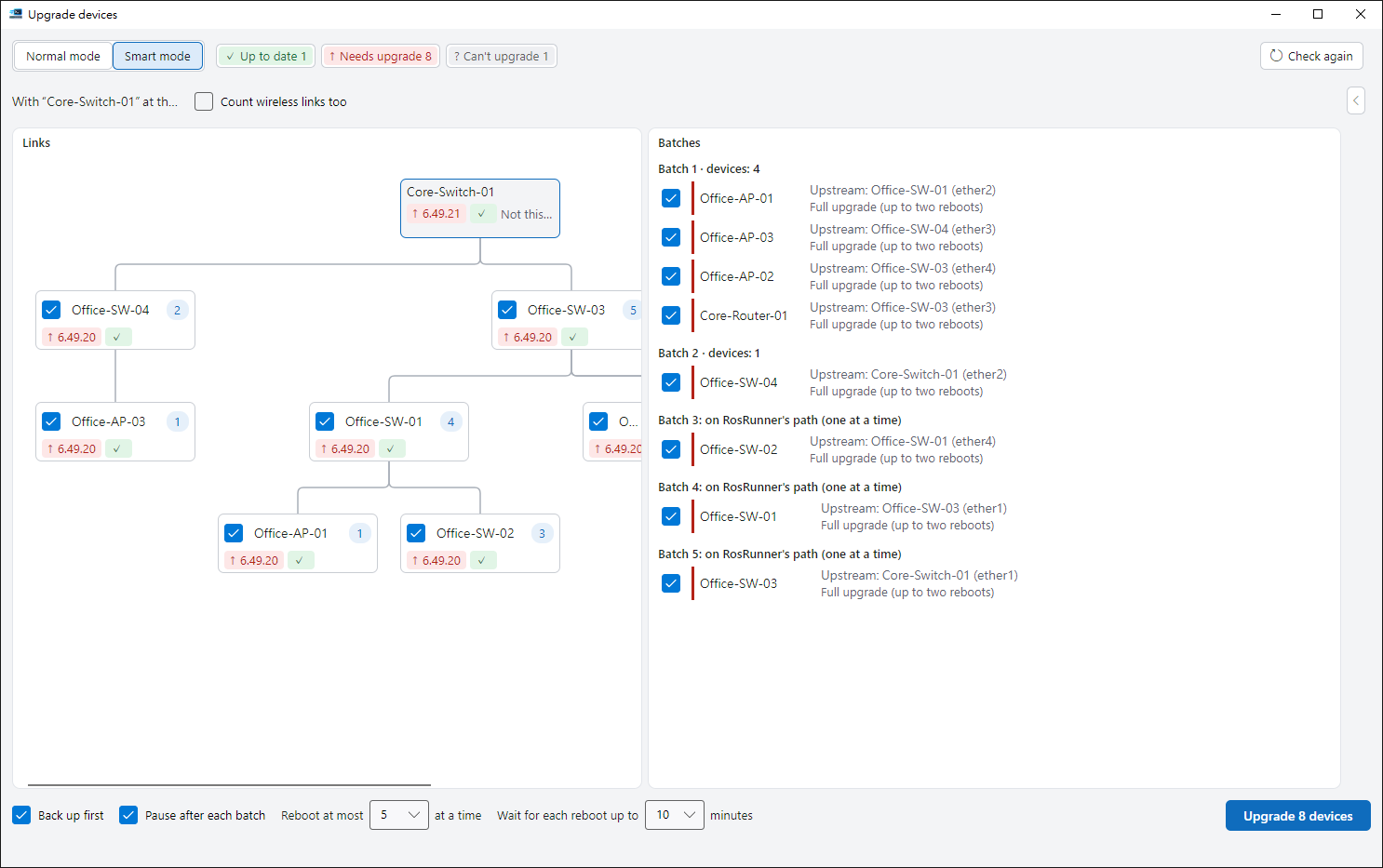
Read the upgrade guide
Choose 8291, review prechecks, plan standard or smart batches, and understand backups, reboots, stopping and reconnection checks.