
Feature
Make network connections easier to follow
Combine observations from multiple devices into a view of nodes, links and ports. Explore an existing network and export a map for handover documentation.
Assembled from what the devices already hold
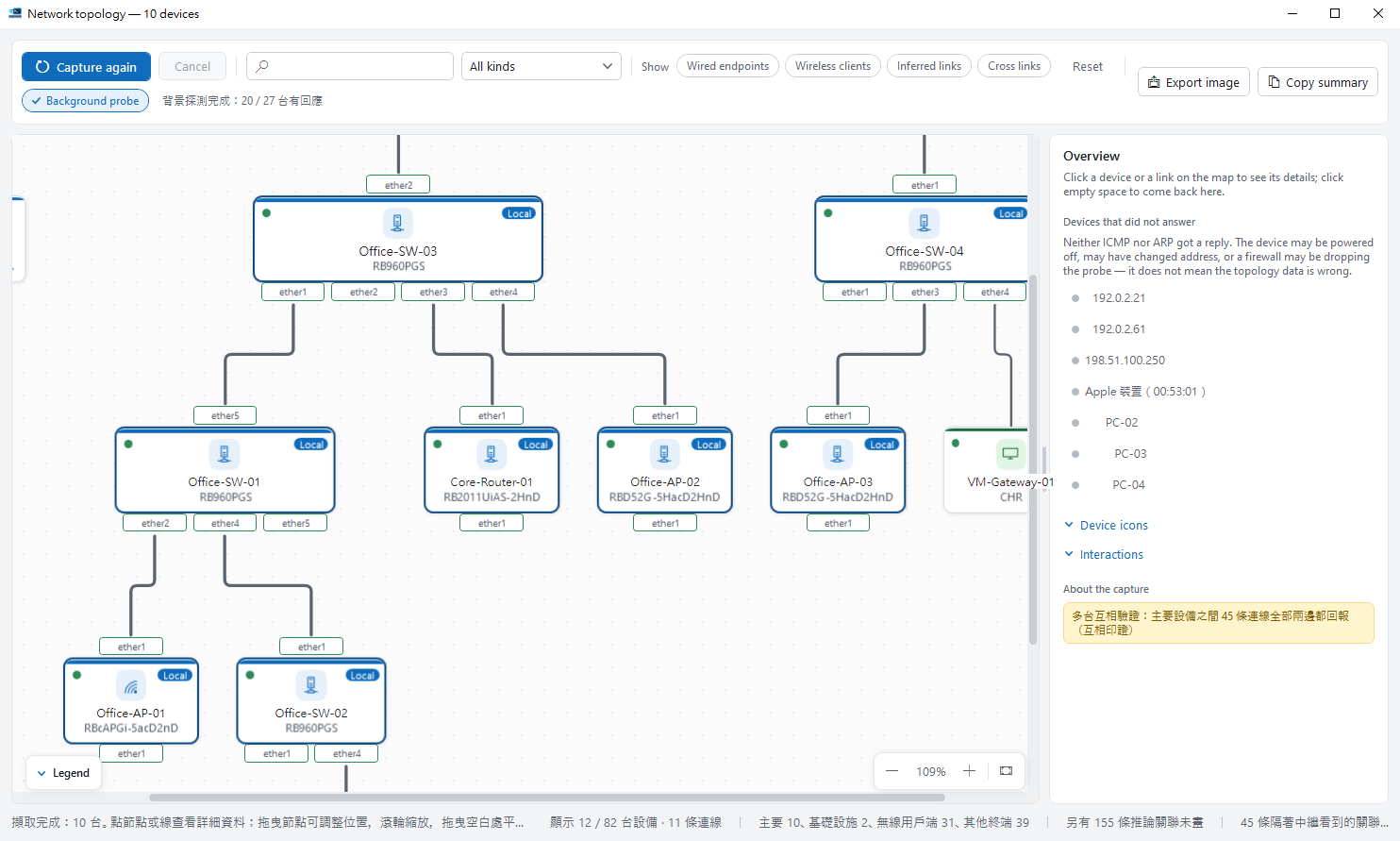
Every network device retains a partial view of its surroundings: its immediate neighbours, which address belongs to which interface, and which wireless clients are associated with it. RosRunner queries each selected device for exactly that, then consolidates those views into a single map.
- The capture is read-only throughout. Nothing is configured or enabled in order to improve the result.
- A link reported from both ends is consolidated into a single connection rather than duplicated.
- Each device is identified where possible — name, model, class and manufacturer — and every attribute carries both a confidence level and the evidence it was derived from.
- Selecting any device or link opens a panel explaining the basis for that conclusion, leaving you able to disagree with it.
- The completed map exports to a file suitable for handover documentation or a change record.
Connection support
| Connection type | Topology capture |
|---|---|
| The connection WinBox uses (8291) | Supported |
| API | Supported |
| SSH | Supported, with /ip service ssh enabled on the device |
| REST | RouterOS 7.x only, with /ip service www or www-ssl enabled |
Next: the device list it starts from
A capture begins with the devices you selected, so the map ultimately depends on how the device list is maintained.