

Spot the problem port instantly
Colour shows speed, lights show traffic — drops and slowdowns stand out.
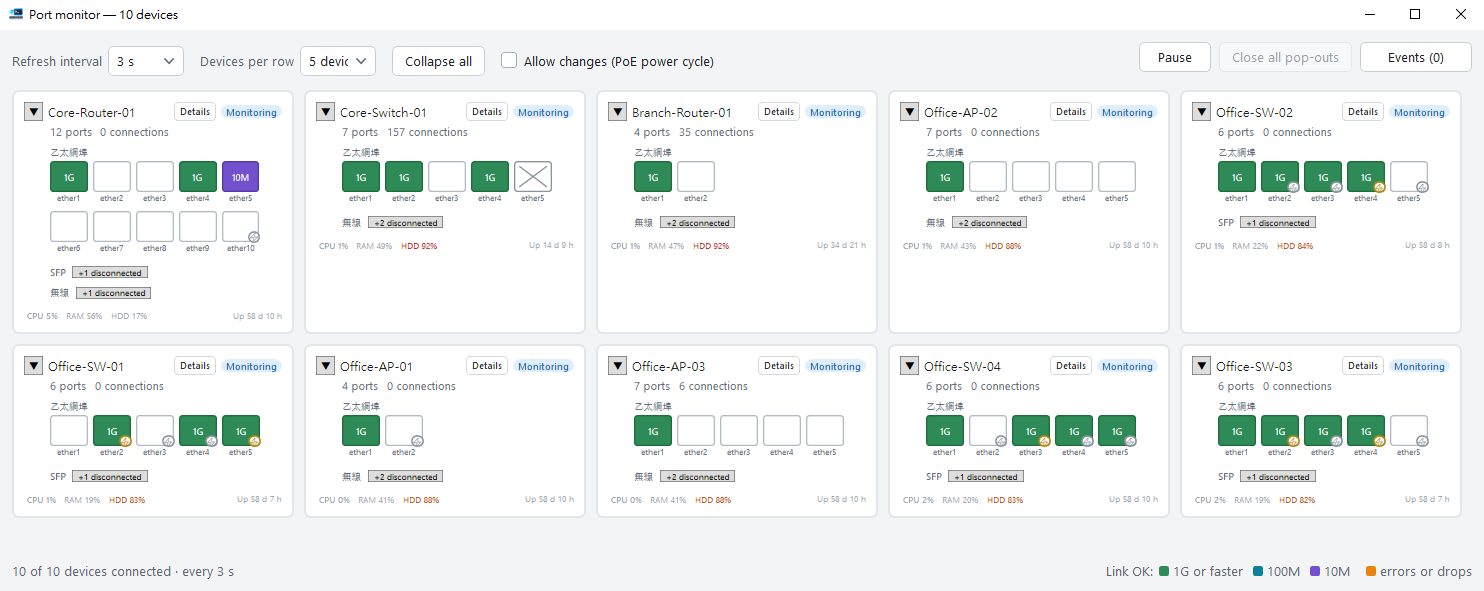
Many devices side by side
One card per device, all watched at once.
Event history
Drops, reconnects and PoE changes stay on a timeline.
PoE power cycle
Power-cycle a stuck camera or AP remotely.

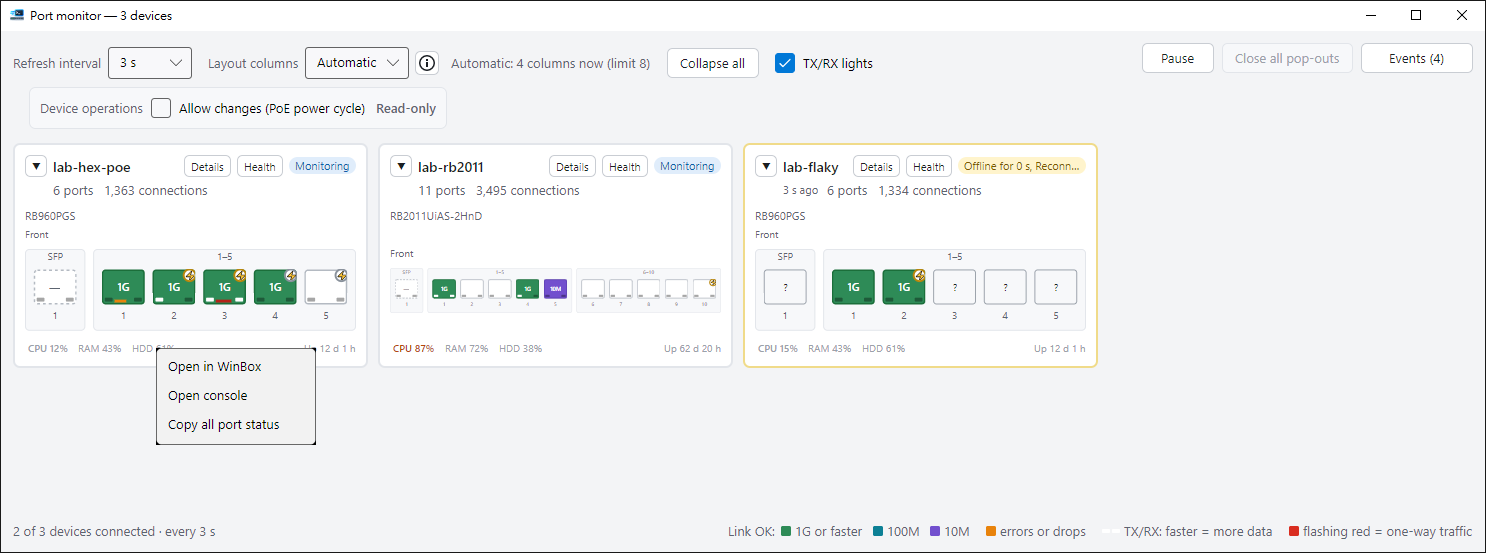
Right-click the panel
Open the device in WinBox, open a console, or copy the status of every port.
- The Health button on each card takes that device straight to a health check.
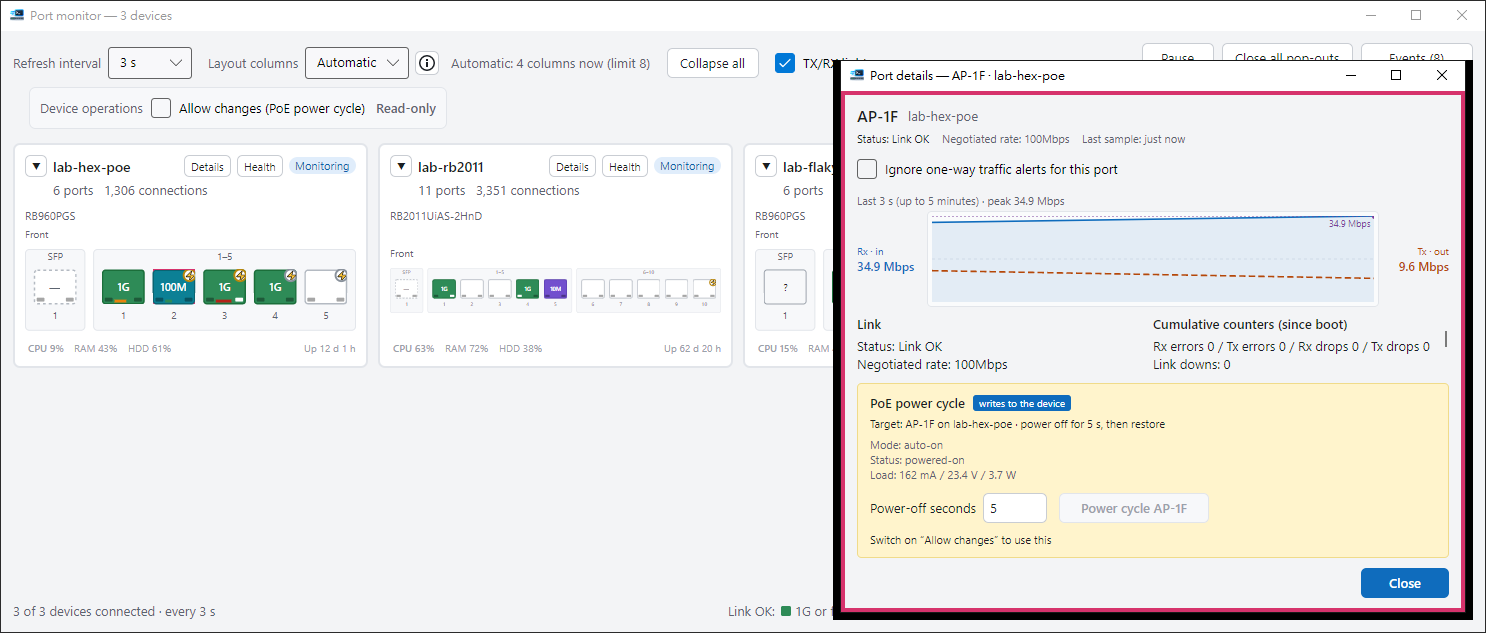
Click a port to see how it is doing
Its traffic graph, error counters and PoE load are in one small window.
- You can silence the one-way traffic warning for just this port.
- Before a PoE power cycle it shows the current draw in watts, and if the port may be your own path to the device, you must tick one more box.
Ready to try it?
The guide walks you through your first run.