
Feature
Make old device text readable in WinBox 4
Text typed in WinBox 3 shows up garbled in WinBox 4? Scan your devices and convert it in one pass.
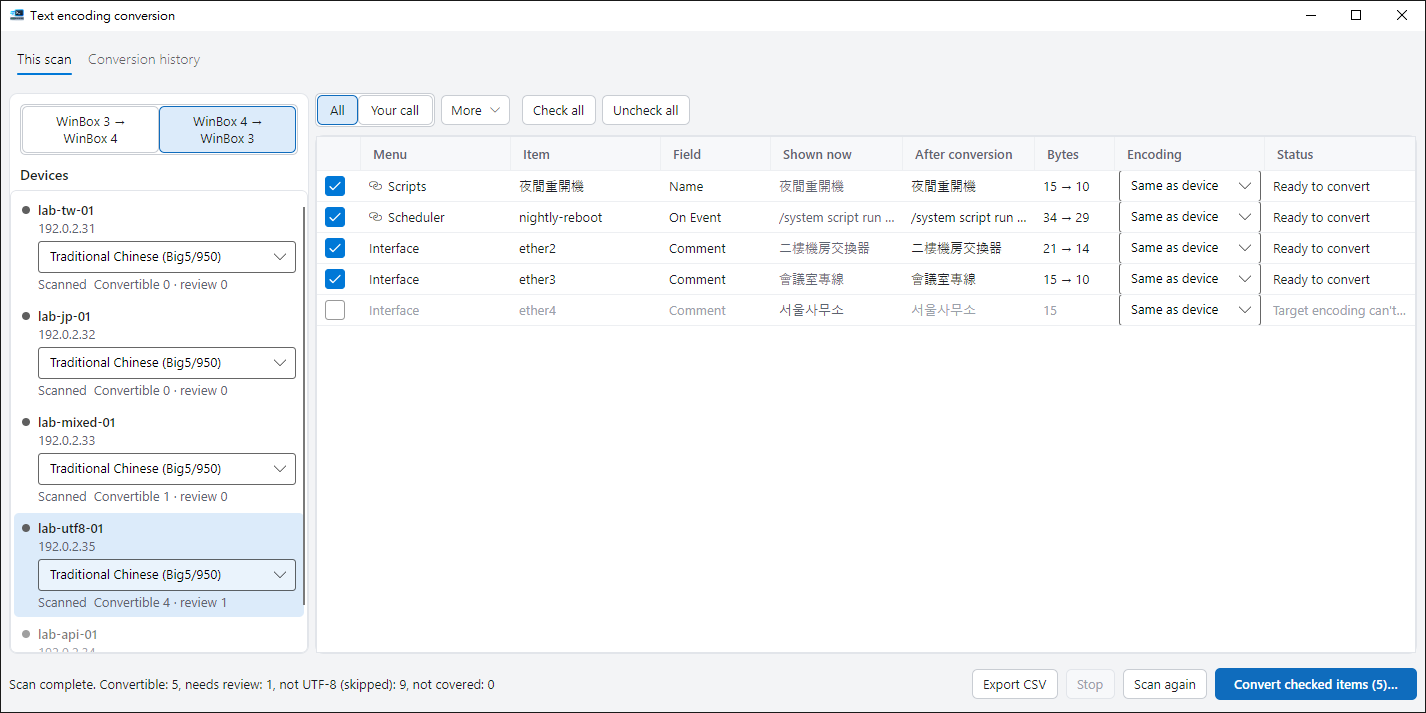
The whole configuration, before and after
Not just comments: names, scripts and schedules are checked too, each with what it shows now and what it becomes.
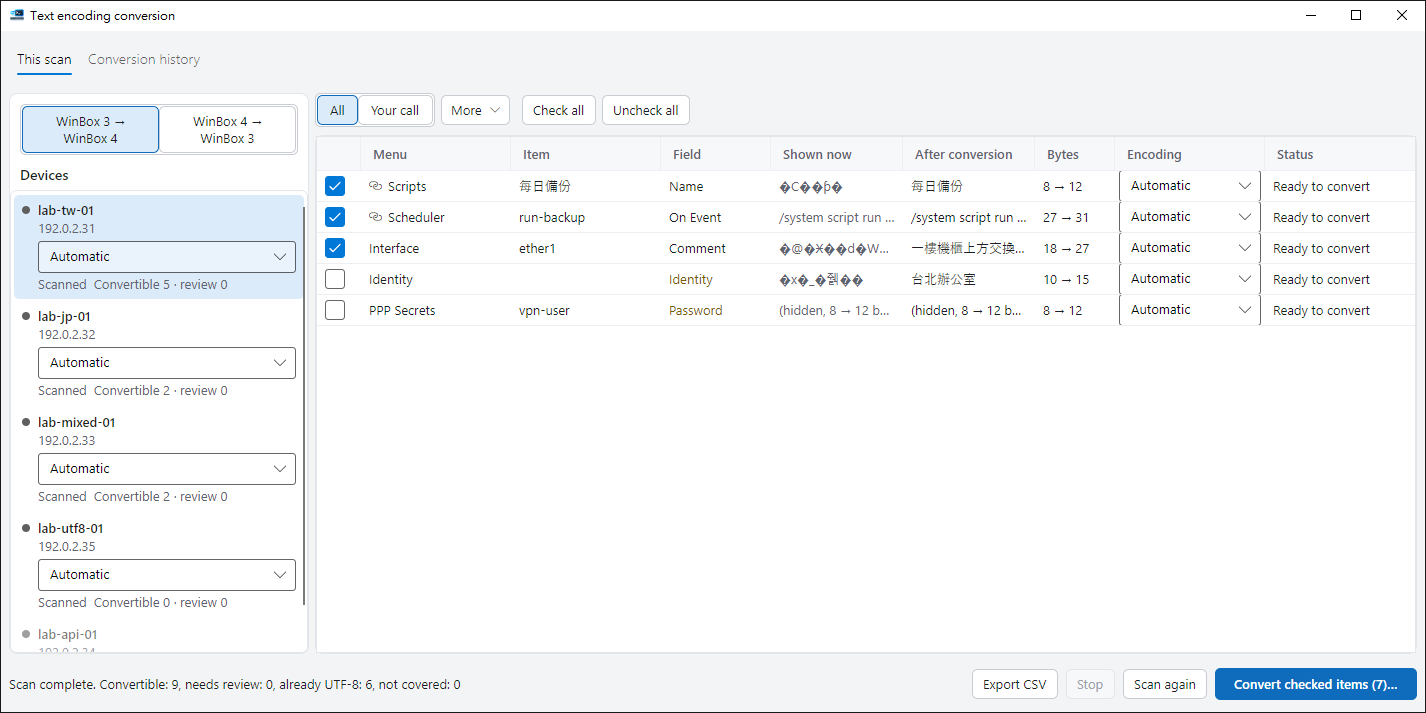
Scanning is read-only
A scan never changes a device. Nothing is written until you confirm.
Backup comes first
Each device is backed up before conversion. If the backup fails, that device is skipped.
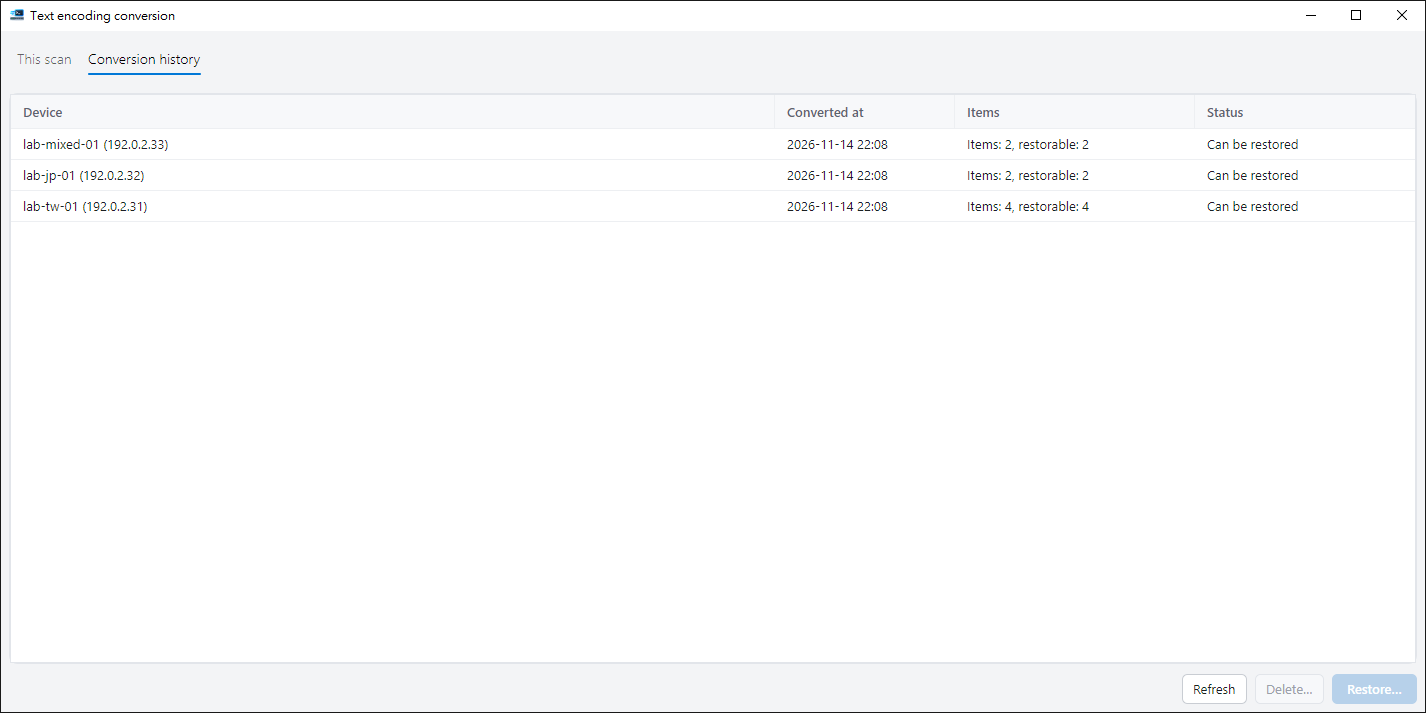
Restore if it goes wrong
Every conversion keeps a record, so the original text can be put back.
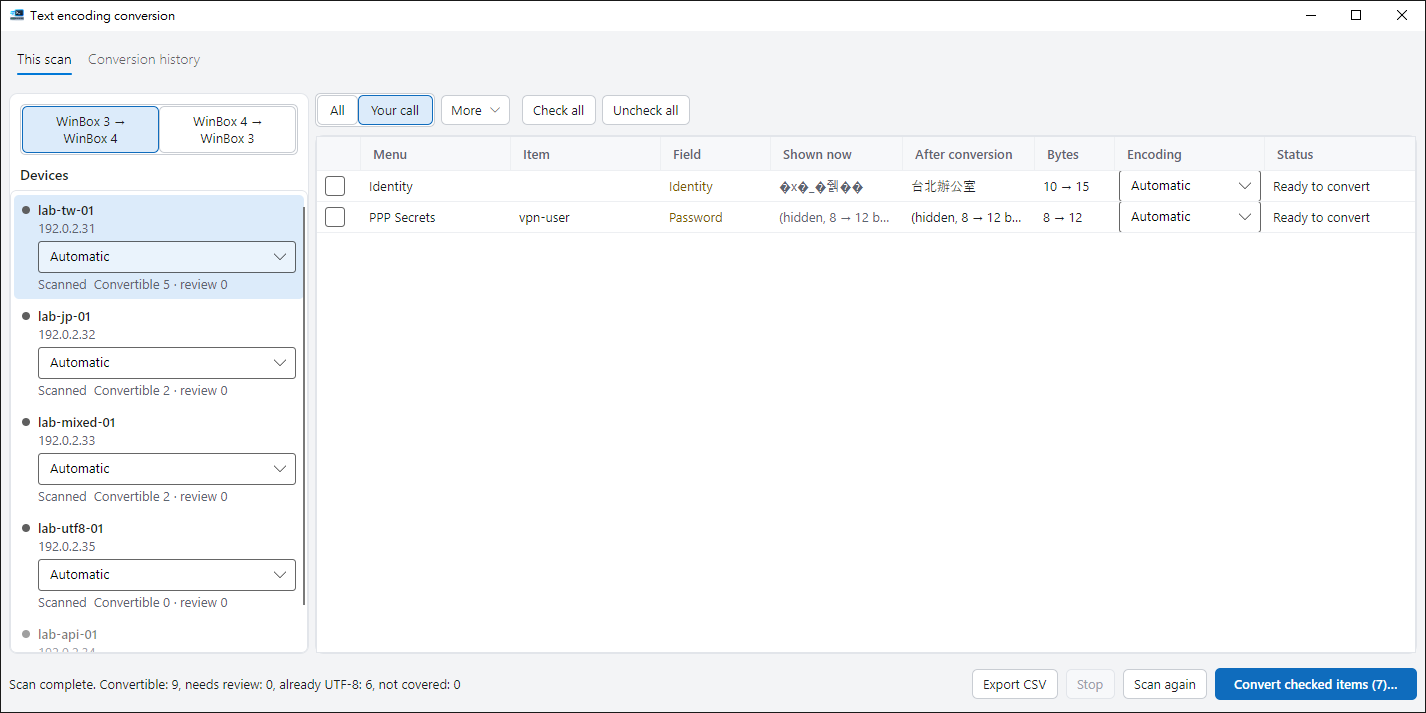
Uncertain items are left to you
Device names, Wi-Fi names, user names and passwords can affect connectivity, so they start unchecked.
- “Your call” lists the items that are still waiting for your decision.
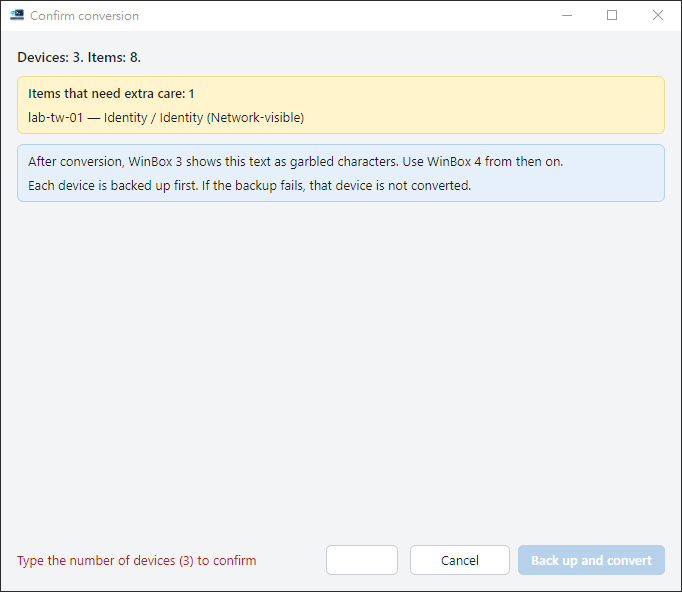
One last confirmation before writing
You see how many devices and items are involved. If you checked items that need extra care, you type the number of devices to go on.
Every conversion is recorded
Pick an entry under “Conversion history” to restore the text on that device.
Still on WinBox 3? Convert it back
Choose “WinBox 4 → WinBox 3” to convert text back to the encoding you pick.
- Characters that encoding cannot represent are flagged and cannot be checked; they never become question marks.
Ready to try it?
The guide walks you through your first run.