
Feature
See where your traffic goes
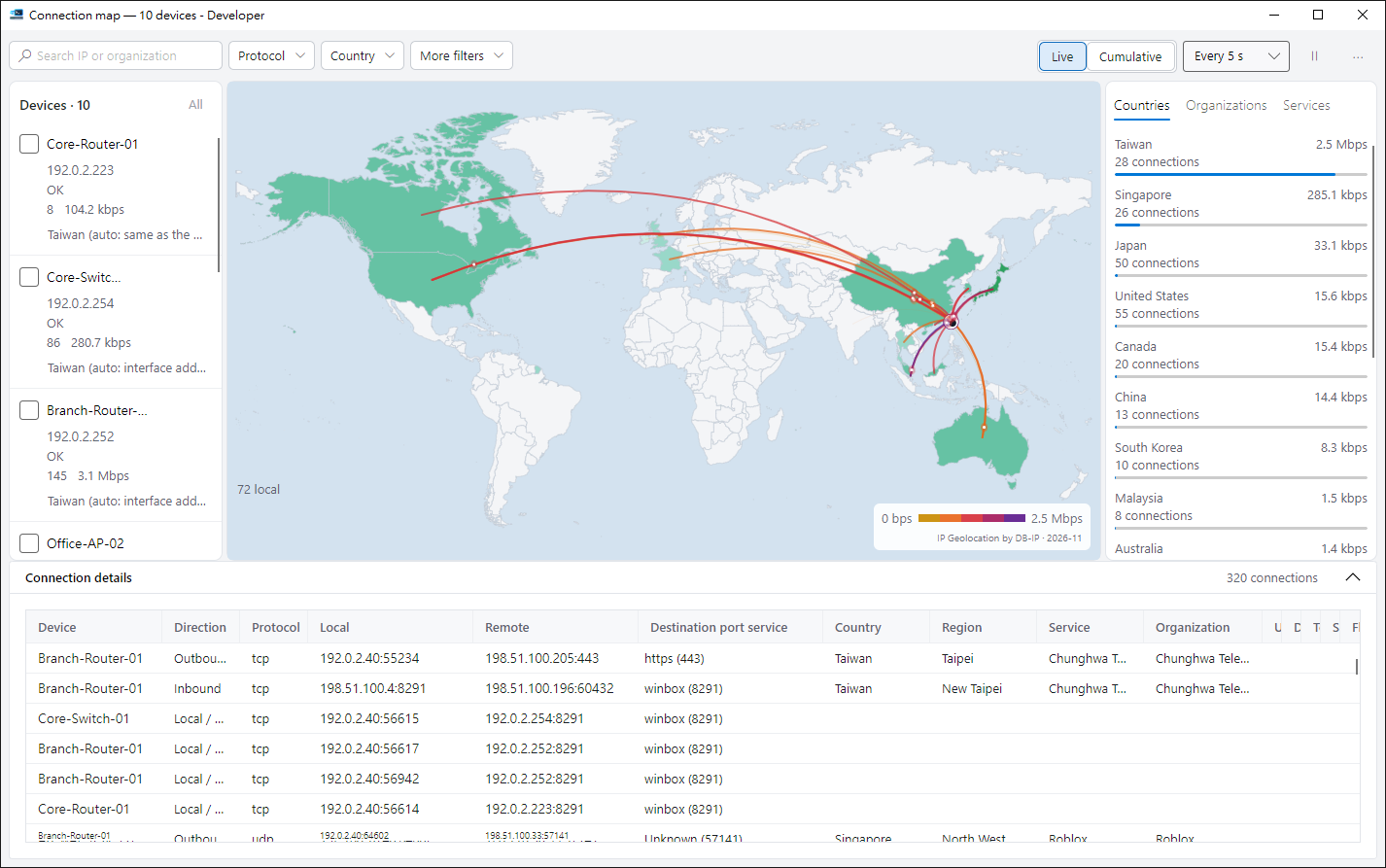
A world map of who your devices are talking to.
Countries, volume and services at a glance
Thicker lines mean more traffic; hover for details.
Addresses stay local
All location lookups happen on your PC.
Drill down
Click a country or device to see each connection.
Read-only
Never changes device settings.
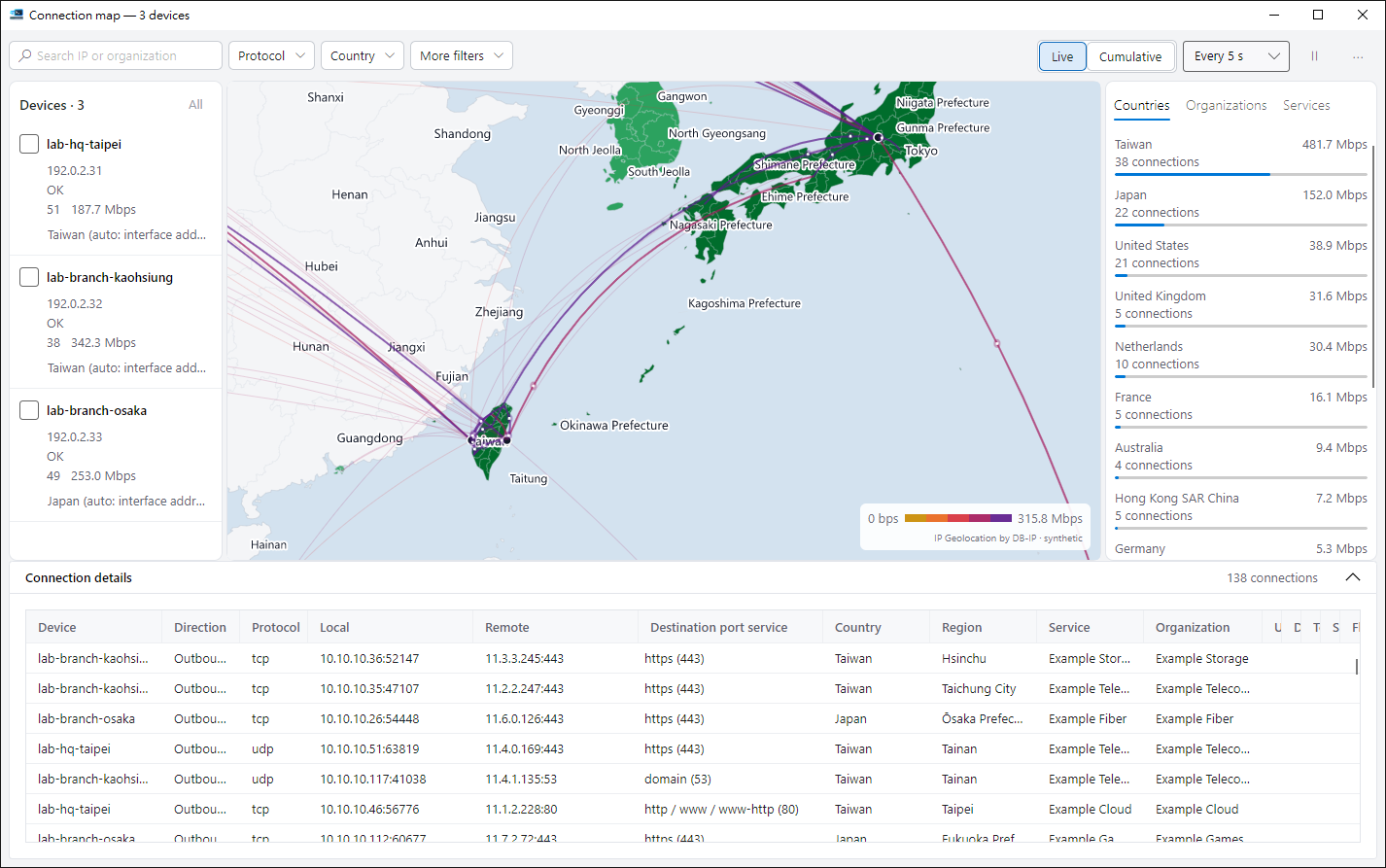
Zoom in to regions
Download the optional city data and zoom in for finer regions.
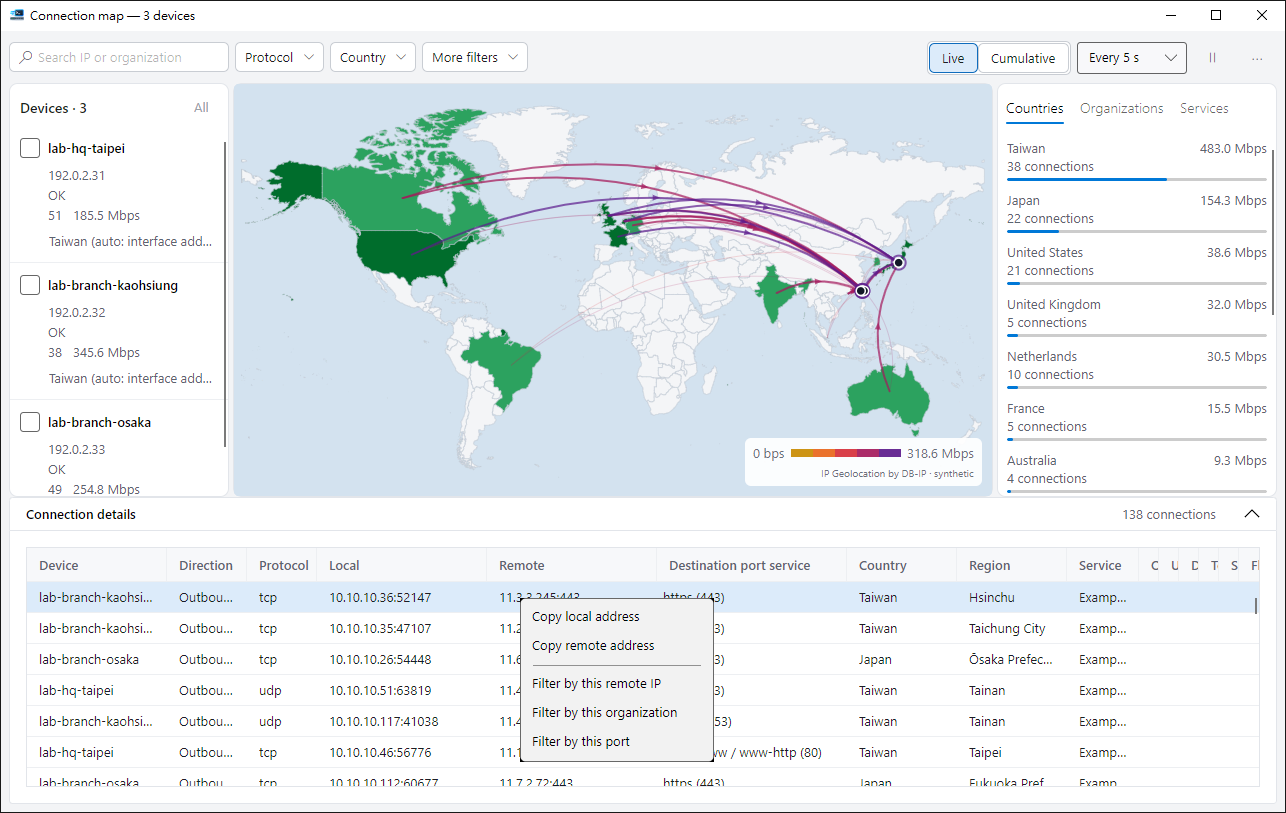
Right-click a connection to dig deeper
Filter by that remote IP, organization or port to narrow things down in one step.
- You can also copy the local or remote address.
Ready to try it?
The guide walks you through your first run.